Bookstore Logo
Hi, sign in

Account & Orders

How to Buy 🛒

1) Choose **Buy Now** or **Add to Cart**

Click on **Buy Now** to go directly to the checkout page for this product, or press **Add to Cart** to add the item to your shopping cart and buy it later from the cart page.
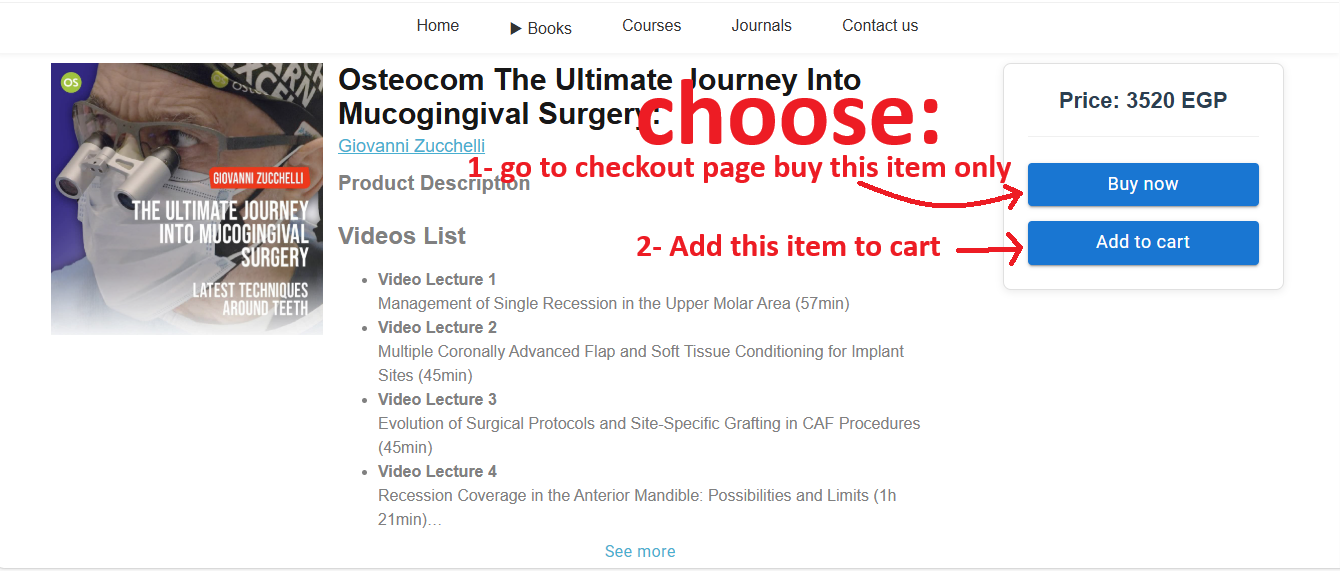
Screenshot of Buy Now and Add to Cart buttons

2) Select Your Payment Method 💳

In the checkout page, choose your preferred payment method:
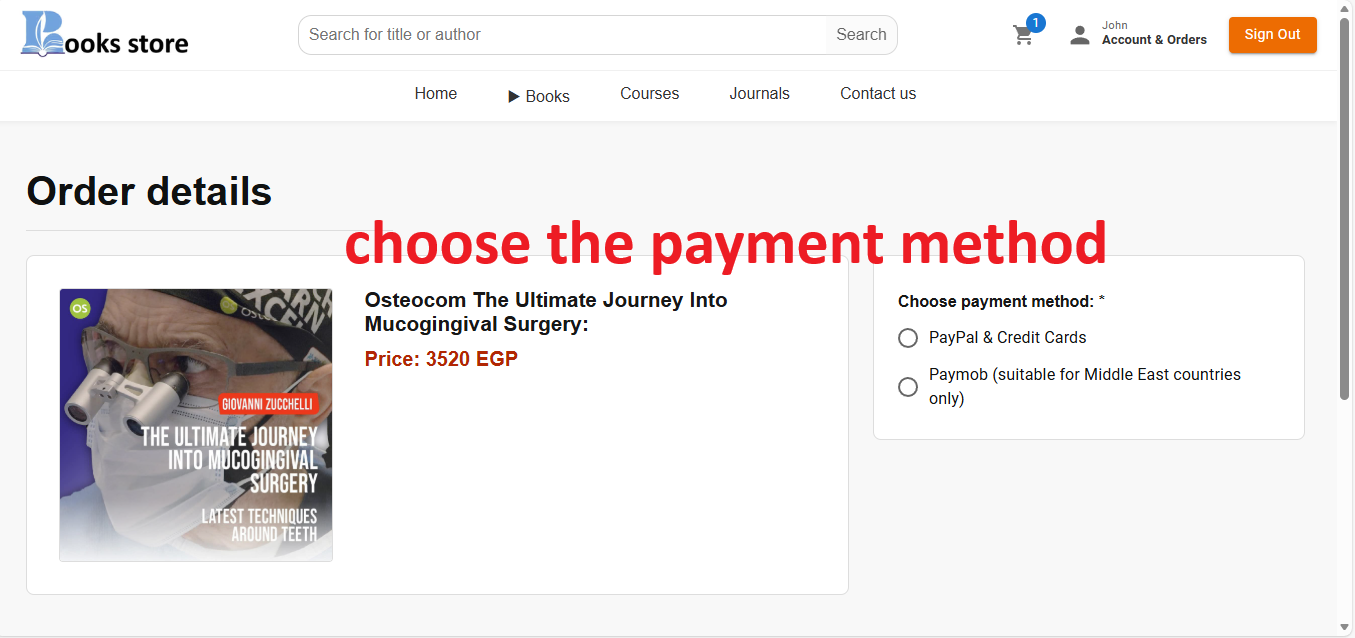
Screenshot of payment method selection, highlighting Paymob and PayPal/Credit Card options

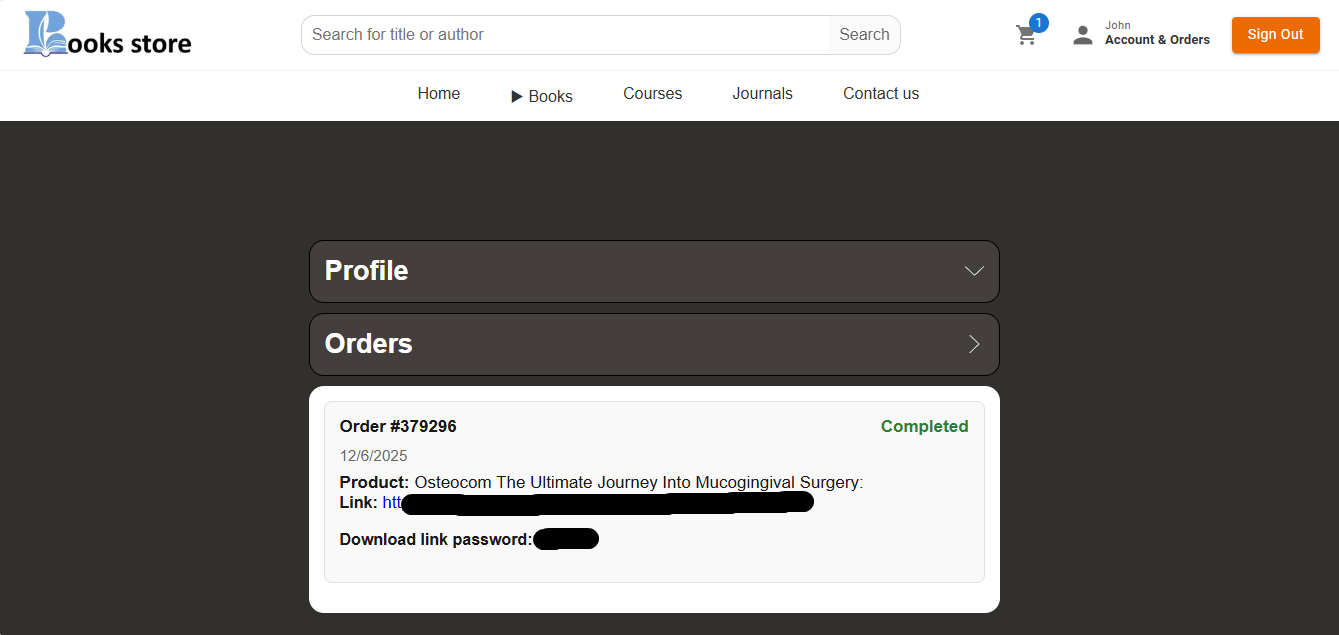
3) Visit Your Account & Orders Page 👤

After successfully paying, click on the Account & orders page to view your purchase details.
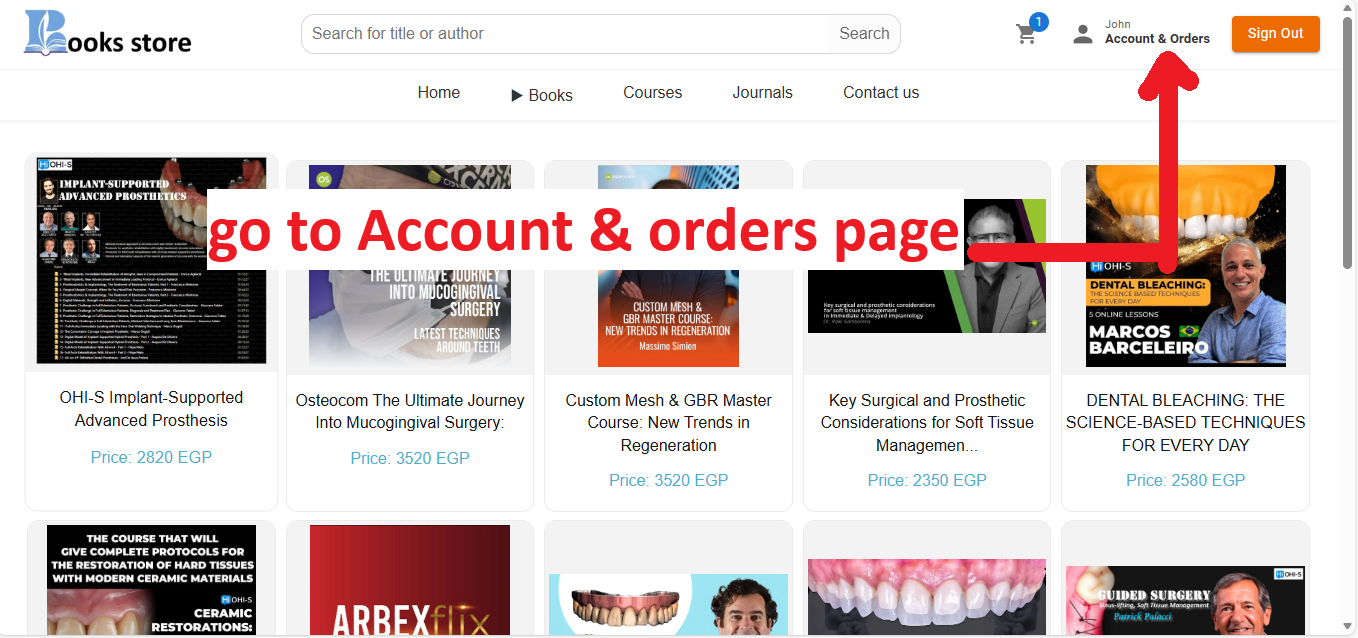
Screenshot of the navigation menu or button leading to account/profileScreenshot of the profile/account page layout

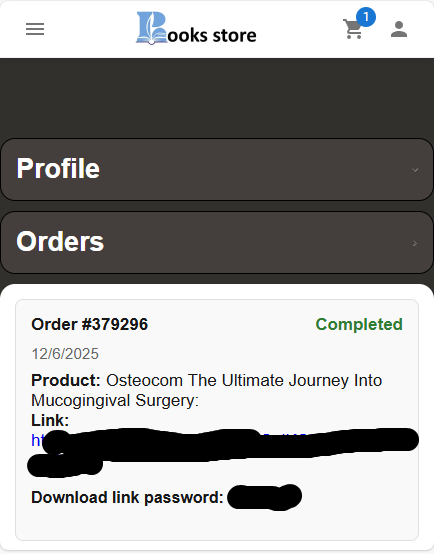
4) Find Your Download Link 📥

The link to your purchased item will appear in the **Orders** section of the page. Please note:
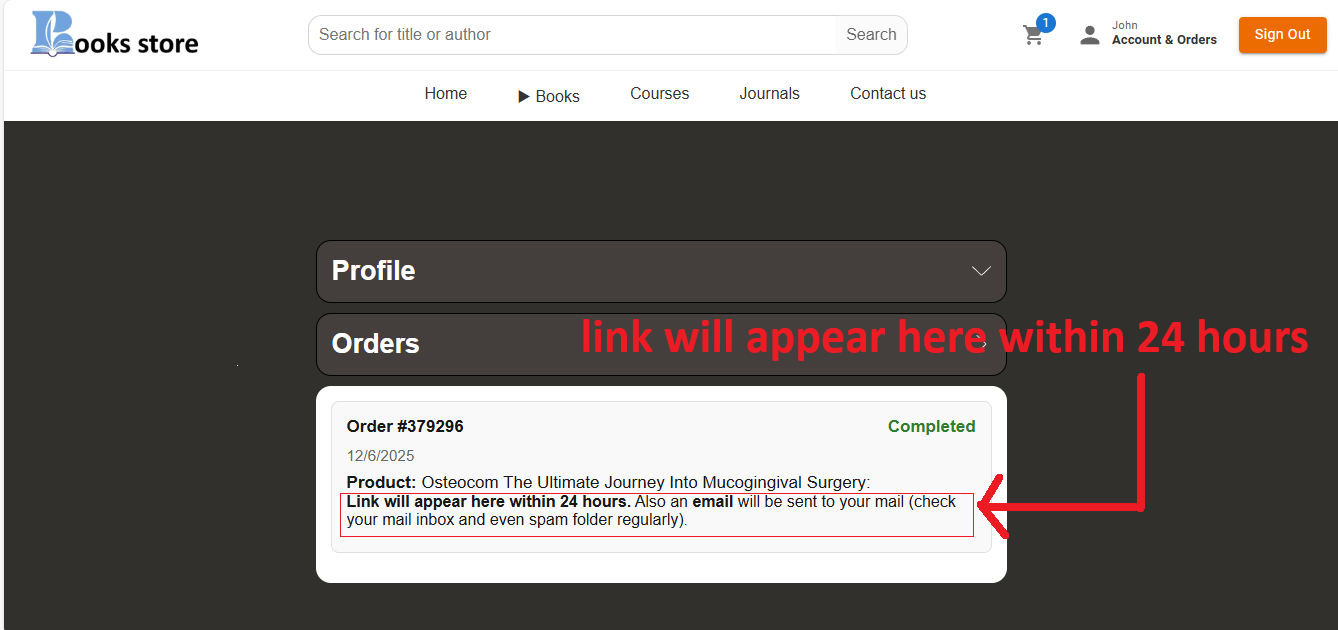
Screenshot showing the order history sectionScreenshot showing the order details with the download link highlightedScreenshot of the confirmation email with the download link